Be a Cleaning Robot Surprise Mess Events Guide
Pivot when extra dirt drops, bank the payout at the dock, then return to your 100% clear without losing the house.
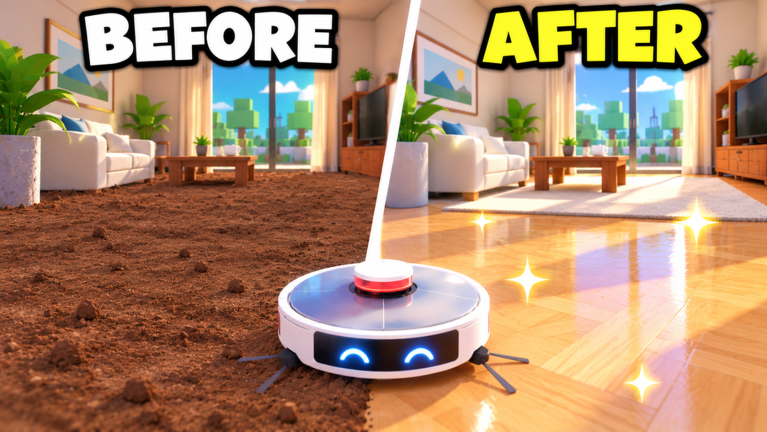
Surprise mess events are named in the official Be a Cleaning Robot description alongside daily rewards and quests. They dump extra dirt into spaces you might already be cleaning—or thought you finished—so your carefully climbed room percentage can wobble if you ignore them. This guide covers how to spot an event, how to route through it, and how to fold the spike into upgrades, friend bonuses, and place unlocks.
The experience by Nenko1233 (released 2026-10-30, updated 13 November 2026) saves room progress, so an event is rarely a disaster. It is an earnings opportunity if your container and suction can absorb the burst. Cross-link with Room Cleaning, Daily Rewards & Quests, Upgrades, and Controls for movement comfort while you race the clock.
What a mess event is trying to do
Incremental vacuum sims use surprise dirt to:
- Break autopilot grinding with a high-value target
- Stress-test your container size and dock pathing
- Push players back into rooms they already marked “done”
- Create social moments when a full server reacts together
Expect denser particle fields, re-dirtied corners, or a marked zone highlight depending on the live build. Exact VFX can change after patches—trust the HUD alert over memory from last week.
First thirty seconds when an event fires
- Stop expanding into a new wing of the map.
- Note whether your container is already near full. If it is, dock immediately so you enter the event with spare capacity.
- Steer toward the highlighted or obviously denser mess.
- Vacuum in tight lawnmower passes—events reward coverage, not scenic tours.
- Dump at the dock as soon as you fill; return if dirt remains.
- After the event ends, re-check room percentages before you leave the place.
That last step matters. An event can knock a 100% room backward if new dust landed after your clear. Re-sweep edges before you assume the house is finished and ready to unlock the next venue (including Family House and later landmarks).
Upgrade priorities for event days
| Stat | Why it matters in events |
|---|---|
| Container | Holds the burst so you are not docking every fifteen seconds |
| Suction | Clears dense piles before the event timer fades |
| Speed | Cuts travel from event zone to dock on large places |
| Combo | Pays out if you keep a streak while friends amplify cash |
If you are mid-place on a cruise-ship-scale map, speed and container usually beat vanity combo buys. Full priority logic lives on the Upgrades guide. Swap to your highest-suction robot if you own a stronger shell—see the robot tier list.
Events plus friends
Each friend in the server grants +10% cash. Mess events already spike volume; friends multiply the dump. Call the event zone in chat, avoid blocking the dock, and split rooms so two bots are not fighting over the same tile. Etiquette details sit on the Players Hub.
Events versus quests and dailies
If a daily quest asks you to empty at the dock three times, an event can finish that objective accidentally—bank it. If a quest wants a specific room at 100%, finish the event first, then repair the percentage. Do not abandon a nearly complete quest room forever chasing random spikes across the entire Galaxy Mall fantasy ladder.
Place-scale tips
- Starter apartments — Events are teaching tools. Practice dock discipline here.
- Family House and mid homes — More rooms mean more places for leftover event dust to hide.
- Cruise ship / space station / Galaxy Mall — Long travel; empty before you commit to a far event marker or you will crawl back full.
Use the Places Guide when you are unsure which unlock comes next after a clean house.
Rebirth timing around events
Do not rebirth mid-event. Bank the cash, finish the spike, then open the rebirth panel with a calm inventory. How to Rebirth covers when the curve is flat enough to reset. Badge Born Again marks your first successful rebirth—events can help fund that milestone but should not force a panic click.
Troubleshooting
- I see no event for hours — Spawns can be random or quiet on low population servers. Keep cleaning; do not idle waiting.
- My percent dropped after an event — Re-sweep corners and under furniture; progress saves, so a repair pass is enough.
- I cannot hold the dirt — Buy container before suction vanity; review Getting Started.
- Chat promises event scripts — No verified public scripts; read Scripts.
Related reading
- Room Cleaning — 100% hunt patterns
- Daily Rewards & Quests — claim order
- Updates Hub — patch tracker after 13 Nov 2026
- Codes Hub — still no confirmed promo codes
- Guides Hub — full guide map
Pivot, vacuum, dock, repair percentages, then resume the place ladder. Mess events reward the same skills as normal play—just faster and louder.
Frequently Asked Questions
Quick answers for Be a Cleaning Robot players.
Do mess events ruin my 100% room progress?
They can add new dust after a clear. Re-sweep the room, then continue—progress is saved, so you are repairing, not restarting the whole house.
Should I dock before entering an event zone?
Yes if your container is nearly full. Entering with spare capacity means fewer emergency trips mid-spike.
Which upgrade helps most during events?
Container and suction for the burst, plus speed on large maps so dock travel does not eat the timer.
Can friends help with mess events?
Yes. Split coverage and stack the +10% cash per friend bonus on every dump while the event dirt is dense.
Are mess events the same as daily quests?
No. Quests are objective boards; mess events are surprise dirt spikes. Use both—see the Daily Quests guide for claim order.